Hbox is preparing for v1.0 · Read the roadmap →
SCREENSHOT → STATIC SITE

Build websites in minutes

Turn any design screenshot into clean, editable HTML and CSS. Refine it from your terminal, preview every change, and ship a site you actually own.

hbox import my-site reference.png
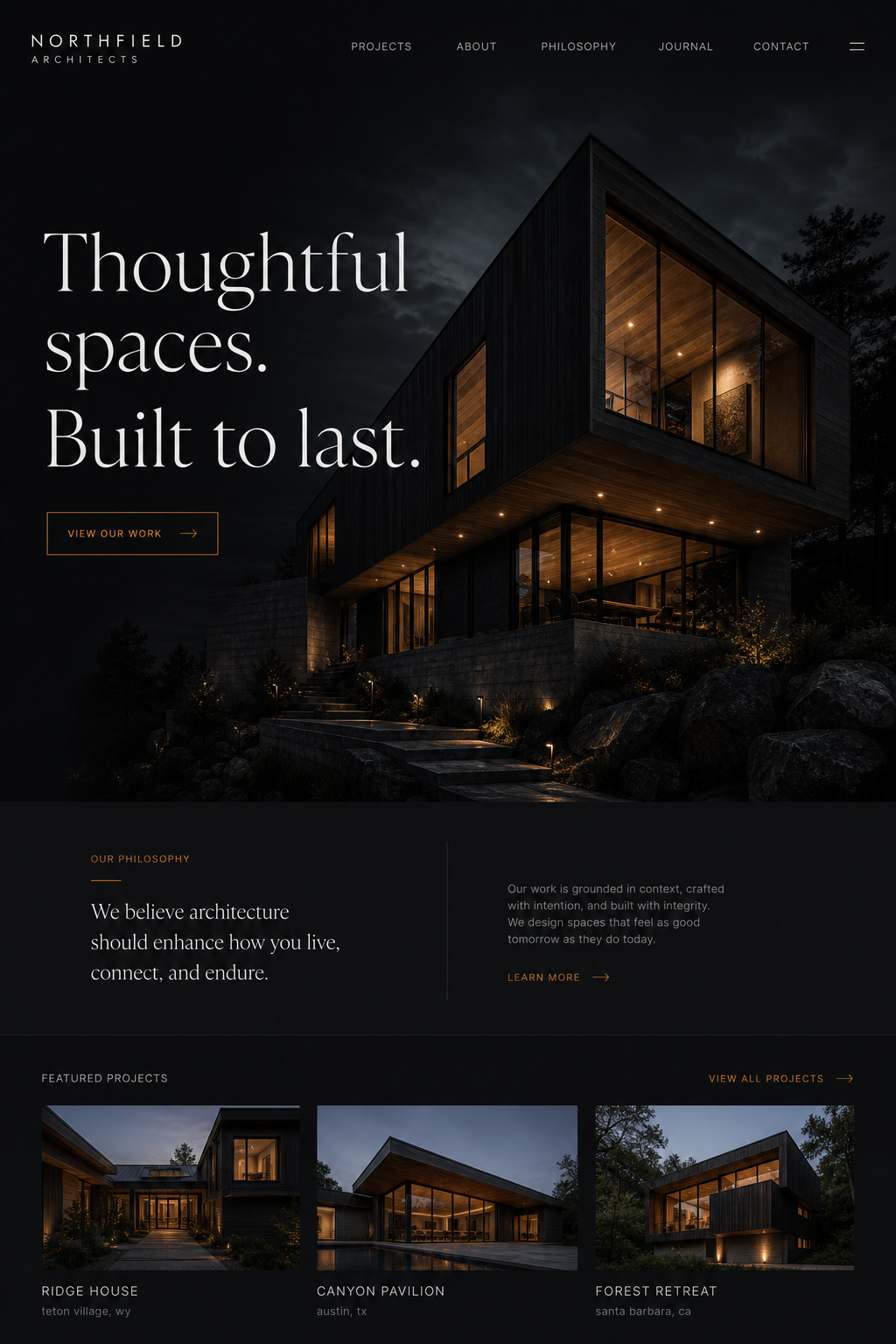
reference.png Architecture website reference screenshot
my-site/
 ├─ pages/
 │ └─ index.html
 ├─ styles/
 │ └─ index.css
 └─ public/
<main class="site">
<section class="hero">
<h1>Thoughtful spaces.</h1>
<p>Built to last.</p>
</section>
</main>

.hero {
display: grid;
min-height: 80vh;
color: #eeeae3;
}
dist/ Generated architecture website preview

$ hbox import-design reference.png -o my-site

✓ Analyzed layout, type, color and assets

✓ Generated HTML, CSS and 8 local assets

✓ Built dist/my-site

Local files. No runtime. No lock-in.

Designed for developers who still like the web made of files.

RUST CLI | STATIC OUTPUT | OPEN SOURCE | LOCAL FIRST

From screenshot to shipped.

A short feedback loop, with ordinary files at every step.

01

Import

Give Hbox a screenshot. It reads structure, typography, spacing, color and assets.

02

Refine

Prompt an update. Hbox creates a complete preview without touching your live site.

03

Verify

hbox verifies every bit of your site, html, images even external links. Never ship a broken site again.

04

Ship

Accept the version you want, then build, optimize and validate.

$ hbox update my-site about "make the hero quieter"

✓ Update successfully generated: my-site-preview2

hbox preview my-site 2

hbox accept my-site 2

AI where it helps.
Plain files everywhere else.

Your code, not ours

Semantic HTML, straightforward CSS and local assets. Open it in any editor.

Preview without fear

Every update becomes a complete numbered site preview before you accept it.

A real build pipeline

Hashed CSS, optimized images, link checks and deterministic static output.

More than landing pages

Reusable partials, Markdown blogs, templates, syntax highlighting and multilingual routes.

A boringly good file tree.

Hbox generates a project you already know how to work with.

sites/my-site/
├─ hbox.toml
├─ global.css
├─ design.css
├─ pages/
│ ├─ index.html
│ └─ about.css
├─ partials/
│ ├─ header.html
│ └─ footer.html
├─ blogposts/
└─ public/images/
HTML CSS Config
<!doctype html>
<html lang="en">
  <body>
    <header>
      <nav class="site-nav">
        <a href="/">Home</a>
      </nav>
    </header>
    <main>
      <section class="hero">
        <h1>Thoughtful spaces.</h1>
      </section>
    </main>
  </body>
</html>

Start with a screenshot.
End with a website.

Hbox gives solo developers a faster first draft without taking the craft—or the files—away.